



FARO Zone 3D Software
Impressive visuals with 2D/3D diagrams, analysis, animations and videos
When an incident occurs, investigators and forensic experts need to capture every detail and establish the facts with precision. FARO Zone 3D Software, by FARO, streamlines this process, enabling fast, accurate analysis and the creation of detailed visuals—everything from precise 2D and 3D diagrams to dynamic animations and courtroom-ready reports—so that every case is documented with clarity and confidence.
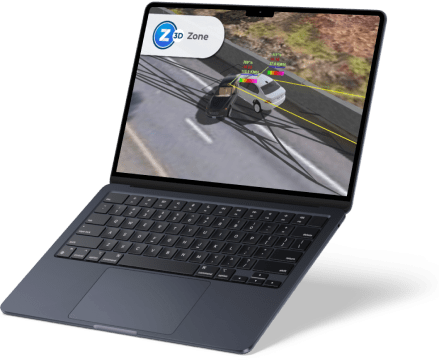
When an incident occurs, investigators and forensic experts must capture every detail with precision to uncover the truth. Thorough documentation is essential for crash reconstruction, crime and fire investigations, and creating clear, compelling courtroom presentations.
The latest FARO Zone 3D Expert update introduces FotoPoints, a powerful new tool for photogrammetry and videogrammetry. With FotoPoints, users can easily transform photos and videos from drones, smartphones, and other devices into accurate 3D point clouds—no third-party software or cloud-based processing required. It also allows for the rapid creation of scaled, high-resolution orthographic images for precise measurement, annotation, and diagram generation.
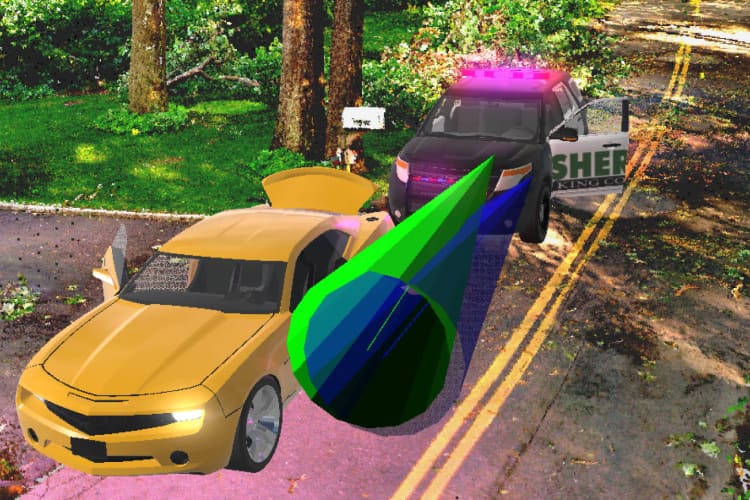
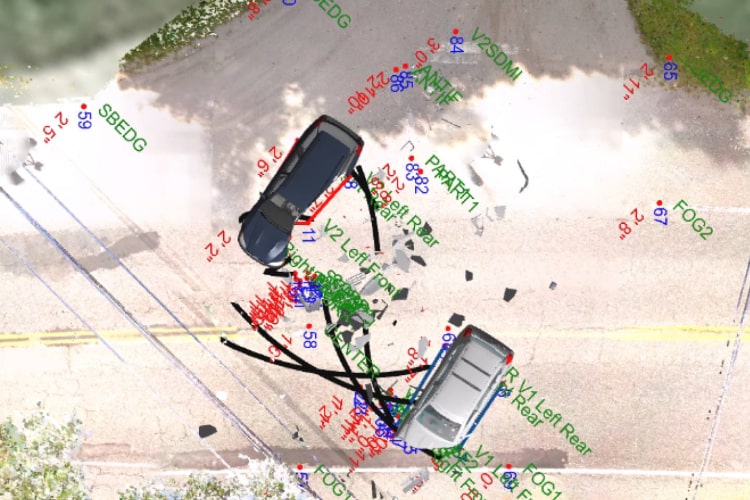
Additionally, the update includes MassZone Collision Prediction, enabling investigators to simulate and visualize potential crash scenarios. This feature helps reconstruct vehicle paths, tire marks, and damage patterns, delivering a deeper understanding of events before and after impact.
With Zone 3D Pro and Zone 3D Expert, FARO delivers its most data-agnostic, comprehensive scene documentation solution yet—empowering professionals with unmatched flexibility, accuracy, and speed.
Business Value of FARO Zone 3D Software
- Create Compelling Presentations
Bring scenes to life with 3D walk-throughs and fly-throughs that give jurors, investigators, and stakeholders a powerful spatial understanding of an event. These immersive visuals are far more impactful than static 2D diagrams. - Generate Accurate Diagrams
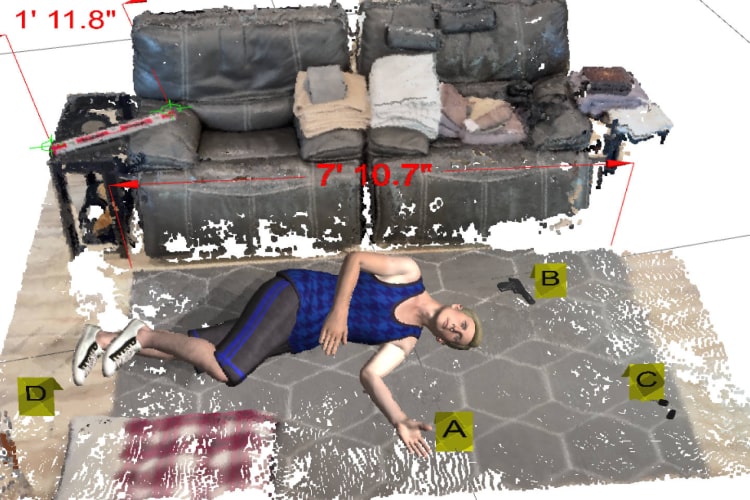
Quickly produce precise 2D and 3D diagrams of crash, crime, or fire scenes. Incorporate pre-drawn models, evidence markers, dimensions, posed bodies, and links to photos and reports. Add realism with lighting effects, textures, fog, rain, and snow. - Animate Crashes in Seconds
Use point-based accuracy to align crash animations with exact scene measurements. Add advanced effects like spinning wheels, opening doors, trailer movement, explosions, smoke, and fire to create true-to-life reconstructions. - Deep Scene Analysis with Expert Tools
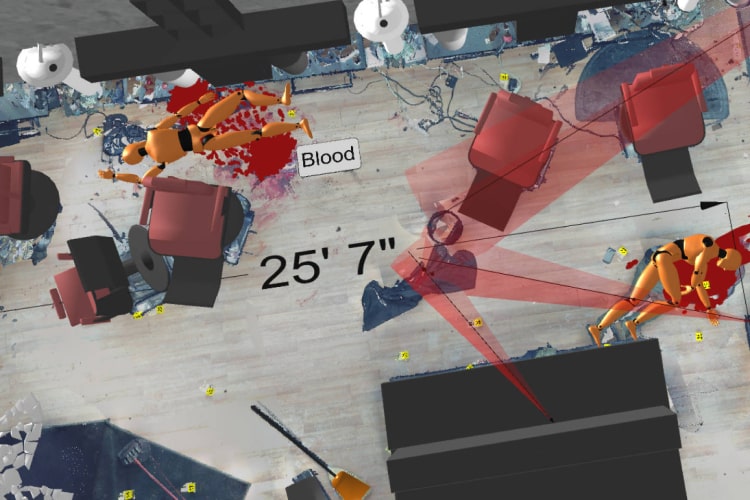
Zone 3D Expert includes validated tools for bullet trajectory and blood spatter analysis. Perform advanced crash analyses using trusted formulas to calculate speed, crush, momentum, and more — ensuring complete confidence in your results. - FotoPoints: Convert Photos and Videos to 3D
Turn drone, smartphone, or camera footage into accurate 3D point clouds directly in Zone — no third-party software needed. Generate scaled, high-resolution top-down images for quick measurement, annotation, and 2D diagram creation. - Predict Crashes with MassZone
Easily create “what if” crash scenarios. Compare your reconstructions to MassZone’s predictive animations to evaluate vehicle paths, impacts, and damage outcomes. - Seamless Data Compatibility
Work with data from a variety of sources, including manual measurements, drone imagery, total stations, and laser scanners — even from different manufacturers. Import CAD files and open projects from CAD Zone, ARAS, and other formats. - Easy to Learn and Use
With an intuitive interface, workflow guides, how-to videos, and free instructor-led training, FARO Zone 3D makes powerful investigation tools accessible to both new and experienced users.
FARO Zone 3D Performance
- The Leading 3D Investigation Software
Zone 3D Pro revolutionizes incident reconstruction, letting investigators move seamlessly between 2D and 3D environments. Import point clouds, drone photos, total station data, and manual measurements to quickly build courtroom-ready visuals. - One Software for Every Task
Zone 3D Expert includes all Pro features — plus photo-to-3D conversion, witness perspective analysis, realistic crash animations, and even VR-ready scene sharing. It’s the most versatile, data-agnostic solution for modern investigations.
Exclusive Features in FARO Zone 3D Expert
- FotoPoints Photogrammetry
Import photos and videos to generate precise 3D point clouds entirely within the software. Combine this data with FARO laser scans for complete, detailed scene reconstructions. - High-Resolution Orthographic Images
Create real-world scale, top-down images for easy measuring, annotating, and diagramming of crash and crime scenes. - MassZone Crash Prediction
Simulate crash scenarios and compare results with predictive MassZone animations to visualize different vehicle paths, impacts, and damage sequences. - Advanced Analysis Tools
Perform bullet trajectory and blood spatter analysis with validated tools. Use reliable calculations for crash speed, critical speed yaw, crush analysis, and more. - Powerful Diagramming Tools
Snap directly to point cloud data, export points with “virtual surveyor” mode, and create stunning animations and VR scenes based on precise measurements. - Streamlined Workflow
Easily merge point clouds and place vehicles or objects back into their original positions for complete, accurate scene reconstructions.
Shared Features Across Zone 2D, Zone 3D Pro, and Zone 3D Expert
- A.I.-Powered Satellite Image Cleanup
Use A.I. to remove unwanted vehicles from Google or Bing satellite images, creating a clean foundation for accurate intersection diagrams. - AXON Cloud Integration
Upload and download projects securely through AXON’s cloud storage for easy collaboration and remote access. - Custom Workflow Toolbars
Save time by creating personalized toolbars with your favorite symbols, models, and commands for faster, more efficient work. - Broad CAD File Support
Import the latest DXF/DWG files from ACAD and other sources to ensure compatibility with your existing data workflows. - Match and Clone Functionality
Quickly replicate object properties and create custom legends, saving time while maintaining consistent styles and settings.
Features
Below, you will find the main features of the product.
Precise, Fast Drawings
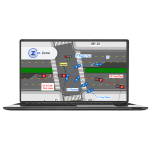
Create highly accurate 2D and 3D diagrams with a powerful set of drawing tools. Automatic snaps and object grips make precision simple, ensuring your measurements are exact and your workflow is efficient.
Billboard Annotation Tool
Easily highlight key details in any 3D drawing or point cloud with the Billboard tool. Objects, text, symbols, or models are placed on a visible post that always faces the camera, keeping annotations clear and readable from any angle.
Data-Agnostic Compatibility
Seamlessly import data from multiple sources — including CAD Zone, ARAS, drones, total stations, satellite imagery, and laser scanners. Zone supports a wide range of formats, even from different manufacturers, for maximum flexibility.
Pre-drawn 3D Models
Access a comprehensive library of 2D symbols and 3D models for crash, crime, and fire scenes. From floorplans and staircases to hazardous material markers, everything you need to visualize complex scenes is included.
Compelling 3D Results
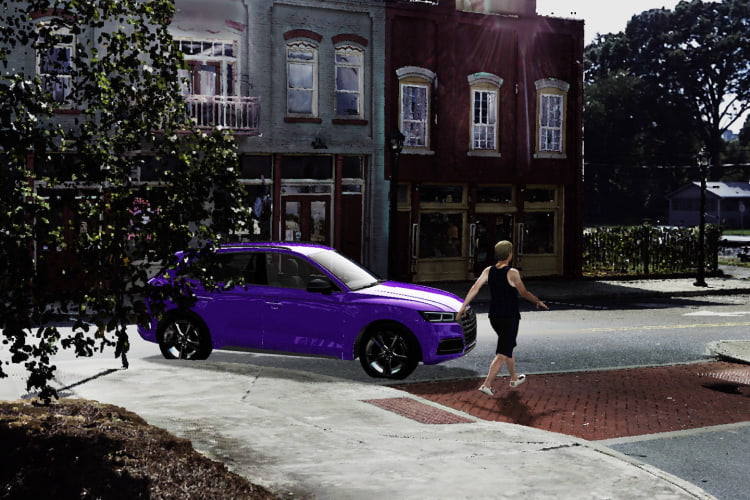
Build immersive visualizations with realistic fly-throughs, animated vehicles, and human figures. Add atmospheric effects like rain, fog, and snow, plus dynamic lighting such as headlights, brake lights, and traffic signals.
Generate Report List from Data in Project
Generate a complete list of reports from your current project with just one click, giving you fast access to the documentation you need without disrupting your workflow.
360° Panoramic Animation
Transform your Zone animations into fully interactive 360° panoramic views — no VR headset required. Users can look in any direction, exploring scenes from every angle using a standard Windows Movie and TV player.
Point Cloud Capability
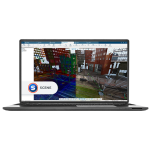
Import point cloud data directly from FARO SCENE, drones, or other sources in formats like .PTS, .E57, and .LAS. Zone 3D Pro and Expert make it easy to integrate highly detailed scans into your investigation.
Intuitive User Interface
Get up to speed quickly with a user-friendly interface that includes built-in tutorials, workflow guides, and free online training. Constant visual feedback ensures a smoother, more confident user experience.
Rearview Mirrors and Backup Camera
Simulate real-world driving conditions by adding left, right, and center rearview mirrors to your Zone animations and crash reconstructions. These mirrors display every element in the scene — including point cloud data — for unmatched realism and detail.
No Point Loss Direct Import of Legacy Point Clouds
Convert legacy point cloud files (.E57, .LAS, .PTS) to modern lsproj/SCENE formats with no point loss. Enjoy advanced display options like gap fill and lighting while working with even the largest datasets.
Flexible Starting Point
Kick off your project with data from almost any source — manual measurements, aerial maps, or drone scans. Easily create pre-incident plans and threat assessments using imagery from EagleView, Google, Bing, and more.
Applications
Discover the applications in which the product can be used.
Forensic Analysis and Pre-incident Planning
Testimonials
Read what our satisfied customers have to say.
Related Products
See related products from this manufacturer
Get a Quote
You can fill out the contact form below and one of our representatives will contact you shortly.