








Trimble SketchUp
Bring your vision to life
Effortlessly turn creative ideas into buildable 3D models with Trimble SketchUp, an intuitive, professional-grade design software trusted by architects, builders, and designers worldwide.
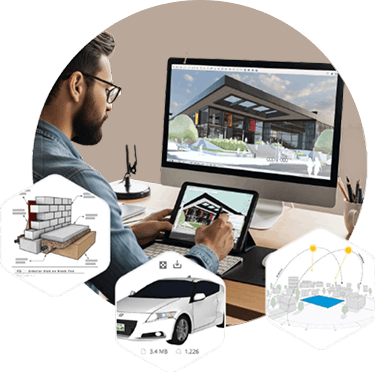
Trimble SketchUp is an ecosystem of intuitive tools for creating, communicating, and collaborating in 3D with incredible accuracy and compelling visuals. SketchUp enables users to win more work, design with speed and precision, and deliver high-performing, durable structures for more robust built environments.
SketchUp is known for its user-friendly interface. Getting started is easy, and Trimble wants to ensure that everyone, no matter their skill level, can start creating their own models quickly. Learning any new tools or skills takes some time, but Trimble has ample resources to help you get started on your modeling journey.
Leverage the full power of SketchUp
- Ways to model
Create across Desktop, iPad, and web applications. - Ways to share
Manage access to projects, mark up models, and sync files in the cloud for feedback. - Ways to view
Fully immerse stakeholders in your vision with 2D plans, 3D animations, live walkthroughs, and more.
Why customers love Trimble SketchUp
- Start modeling, easily
Set ideas in motion with easy-to-use 3D visualization tools. Dive deeper into the SketchUp ecosystem to unleash your creative expression. - Speed up your workflow
Use native 3D design tools to generate organic shapes, add extensions to amplify your process, or pull in pre-built models to save time. - Build consensus quickly
Advance design conversations by getting feedback fast and in context, without ever leaving SketchUp. - Think sustainably
Deliver design excellence without the rework. Go from idea to model development with daylight optimization and net-zero goals at your design’s core.
Explore the ecosystem
SketchUp is here to help you connect the dots. Optimize your workflow with integrations designed to streamline processes, advance productivity, and take designs to the next level.
Extension Warehouse
Customize your workflow with 600+ extensions that automate tasks, boost efficiency, and expand functionality.
3D Warehouse
Access millions of pre-built 3D models and materials to jump-start your designs and cut time spent modeling from scratch.
Scan Essentials
Import point clouds and create precise 3D models directly from real-world data—fast, accurate, and simple to use.
Trimble Connect
Share models and files in the cloud so teams can access, review, and collaborate on projects from anywhere.
Trimble Marketplace
Connect and scale with Trimble's high-performance construction technology solutions in one searchable marketplace.
Developer Center
Build custom tools with SketchUp APIs. Automate tasks, connect systems, and extend your workflow your way.
Applications
Discover the applications in which the product can be used.
Architecture
Construction
Interior Design
Landscape Architecture
Urban Planning
Multimedia
Below you will find all available multimedia, including videos images.
Related Products
See related products from this manufacturer

Get a Quote
You can fill out the contact form below and one of our representatives will contact you shortly.